Scheduling
{ "type": "now" }
{ "type": "at", "at": "2026-10-01T09:00:00Z" }
{ "type": "user_timezone", "localTime": "19:30" }
{ "type": "recurring", "every": "week", "daysOfWeek": [1, 4], "localTime": "09:00", "timezone": "Europe/Istanbul", "until": "2026-12-31T00:00:00Z" }
Now
POST /v1/campaigns/:id/send (or Send in the wizard) puts the fan-out job on the queue immediately. Status goes sending → sent.
At a fixed time
The campaign becomes scheduled and the fan-out job is held as a delayed job in Redis until at. There is no scheduler process — BullMQ promotes the job when its time comes, and it survives API and worker restarts (Redis runs with appendonly yes).
atin the API is any ISO 8601 string; the dashboard's date picker is interpreted in your browser timezone and stored as UTC.- Cancel any time before it fires:
POST /v1/campaigns/:id/cancelor the list's Cancel. The delayed job is removed. - A time in the past sends immediately.
At the user's local time
localTime: "19:30" means every subscriber gets the push at 19:30 on their own clock. This is solved with one fan-out, not one campaign per timezone:
fan-out at 14:00 UTC
  ├─ user in Europe/Istanbul (UTC+3)  → next 19:30 local = 16:30 UTC → job delayed 2h30
  ├─ user in America/New_York (UTC−4) → next 19:30 local = 23:30 UTC → job delayed 9h30
  └─ user with no timezone            → app default tz, else UTC
Each push job gets a notBefore, applied as the BullMQ delay. "Next" means: if 19:30 has already passed today in that zone, tomorrow. DST is handled with Intl (core/timezone.ts), no library.
Fan-out itself happens when you press send; the campaign shows sending while the day's pushes go out and sent when the last one is attempted. The hourly chart on the report shows one bump per timezone.
Timezones come from the SDKs automatically (Intl.DateTimeFormat().resolvedOptions().timeZone, TimeZone.current, TimeZone.getDefault()). For users created from the API without one, set the app's default timezone in Delivery rules.
Interaction with quiet hours
A scheduled or local-time push that lands inside the app's quiet hours is still subject to them (delay or skip, per the setting) — the rule is applied when the push is about to go, not when it was scheduled. Use bypass.quietHours if the schedule itself already respects the user's day.
Recurring
every: "day" or every: "week" with daysOfWeek (0 = Sunday … 6 = Saturday), at localTime in one timezone, optionally until until. Still no scheduler process: /send installs a BullMQ job scheduler (a cron in Redis) and the campaign becomes active (recurring · active).
The active campaign never sends itself. On each tick the worker clones it into a run — a child campaign named <name> · #3, with recurringOf pointing at the parent and its own counters — and fans that out to whoever matches the segment at that moment. The parent's report page lists the runs; each run has a normal report. runCount and lastRunAt on the parent tell you how many went out.
- A saved segment is copied into the parent when it is activated; runs do not re-read it.
- Cancel (
POST /v1/campaigns/:id/cancelor Cancel campaign) removes the scheduler; a tick that arrives afterwards does nothing. weekwithoutdaysOfWeekis rejected (422).- Quiet hours and the frequency cap apply to every run like any other campaign.
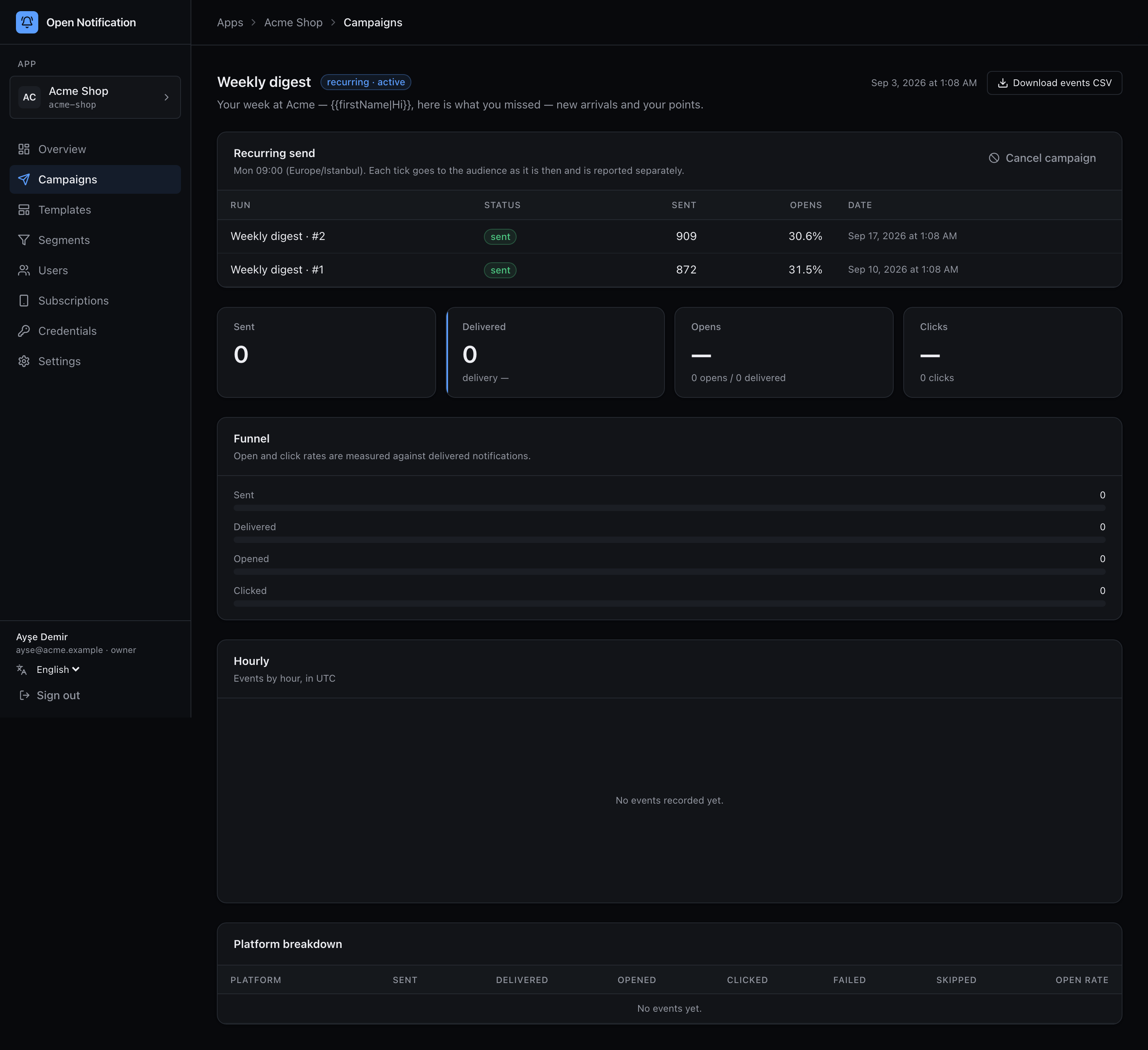
The wizard's Recurring option offers the same fields; the timezone defaults to your browser's.