Webhooks
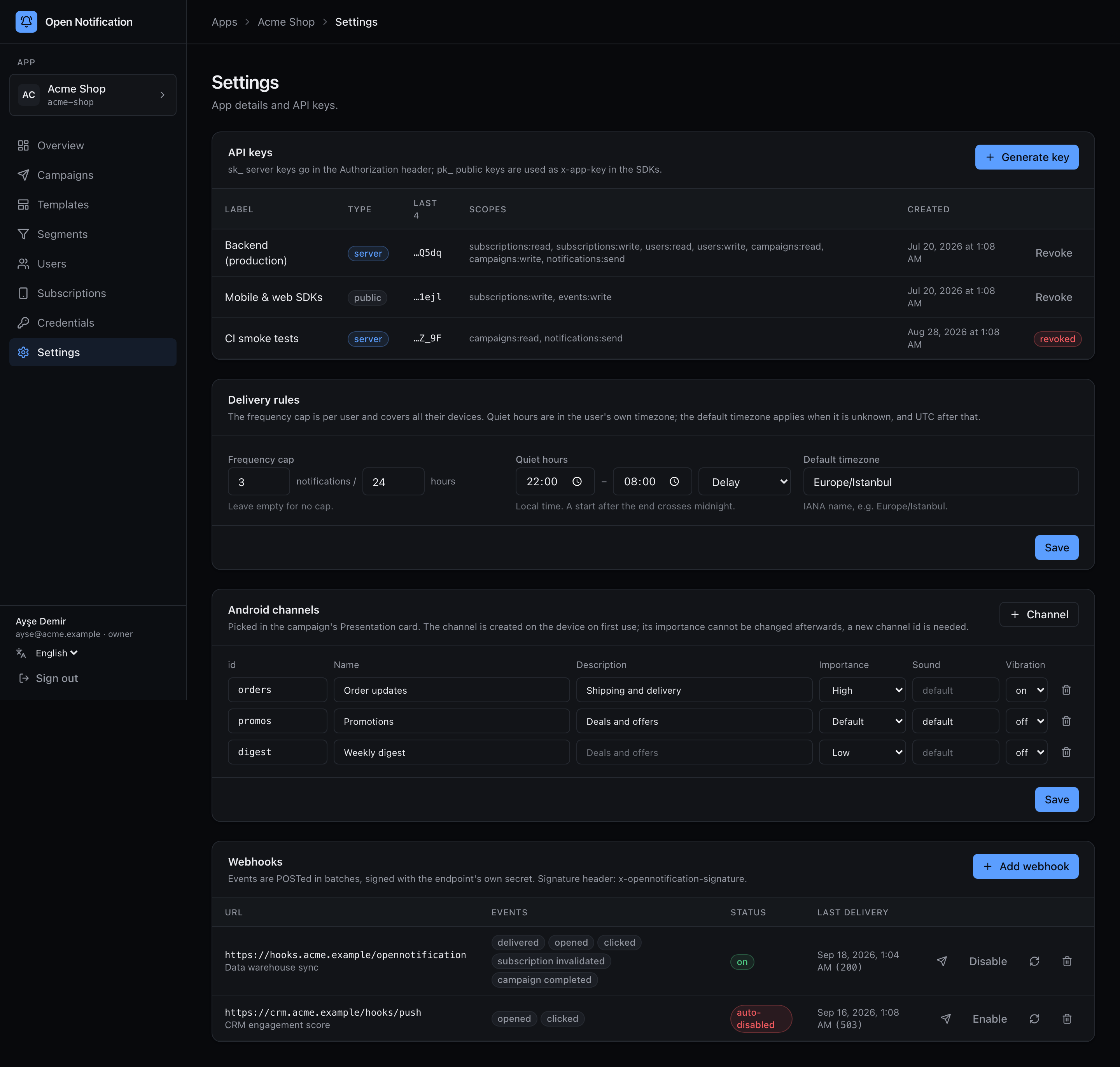
Ayarlar › Webhook'lar. Each endpoint gets its own secret and its own event list; the worker POSTs batches, signed. Payload format, signature verification and retry rules are in Features › Webhooks.
Add an endpoint
1 + Add webhook.
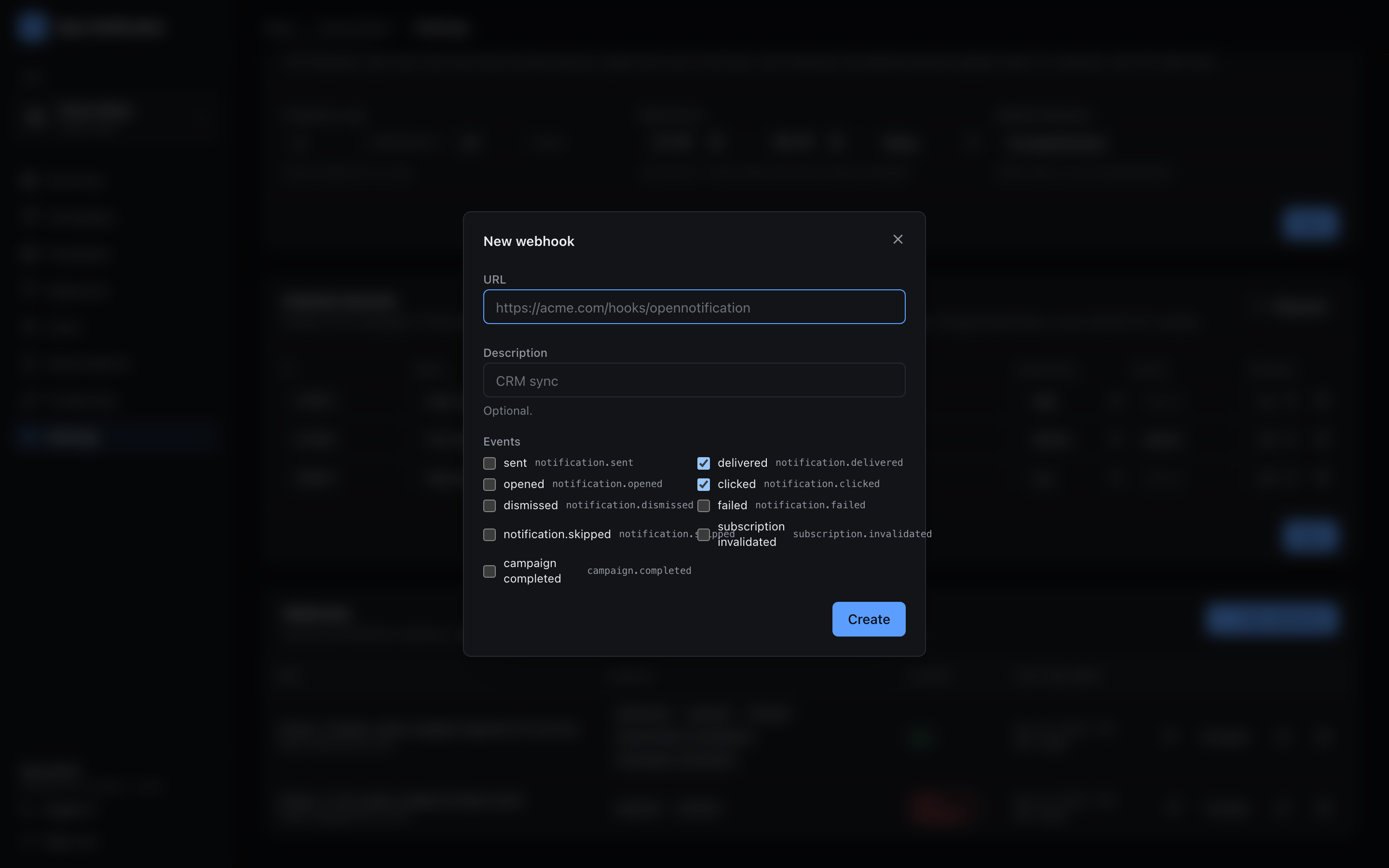
2 Fill in URL (HTTPS; localhost, 127.* and the cloud metadata address are refused), an optional Description, and tick the events:
| Event | Fires when |
|---|---|
notification.sent / delivered / opened / clicked / dismissed / failed / skipped | one push reaches that stage |
subscription.invalidated | a transport reported a dead token and the subscription was invalidated |
campaign.completed | fan-out finished — every push is queued |
3 Create. The dialog shows the signing secret (whsec_…) once. Store it on the receiver, press I saved it.
Row controls
| Control | Does |
|---|---|
| ✈ (test) | Sends a signed ping batch synchronously and shows the HTTP status the receiver answered. |
| Disable / Enable | Disable / enable. Enabling also resets the failure counter. |
| ↻ (rotate) | Issues a new secret, shown once. The old one stops working immediately. |
| 🗑 | Delete the endpoint. |
Status column
| Badge | Meaning |
|---|---|
| on | Enabled and healthy. |
| disabled | You disabled it. |
| auto-disabled | 50 consecutive batches exhausted their retries; the worker gave up. Fix the receiver, then Enable. |
Last delivery shows the last attempt's time and HTTP status.