Members
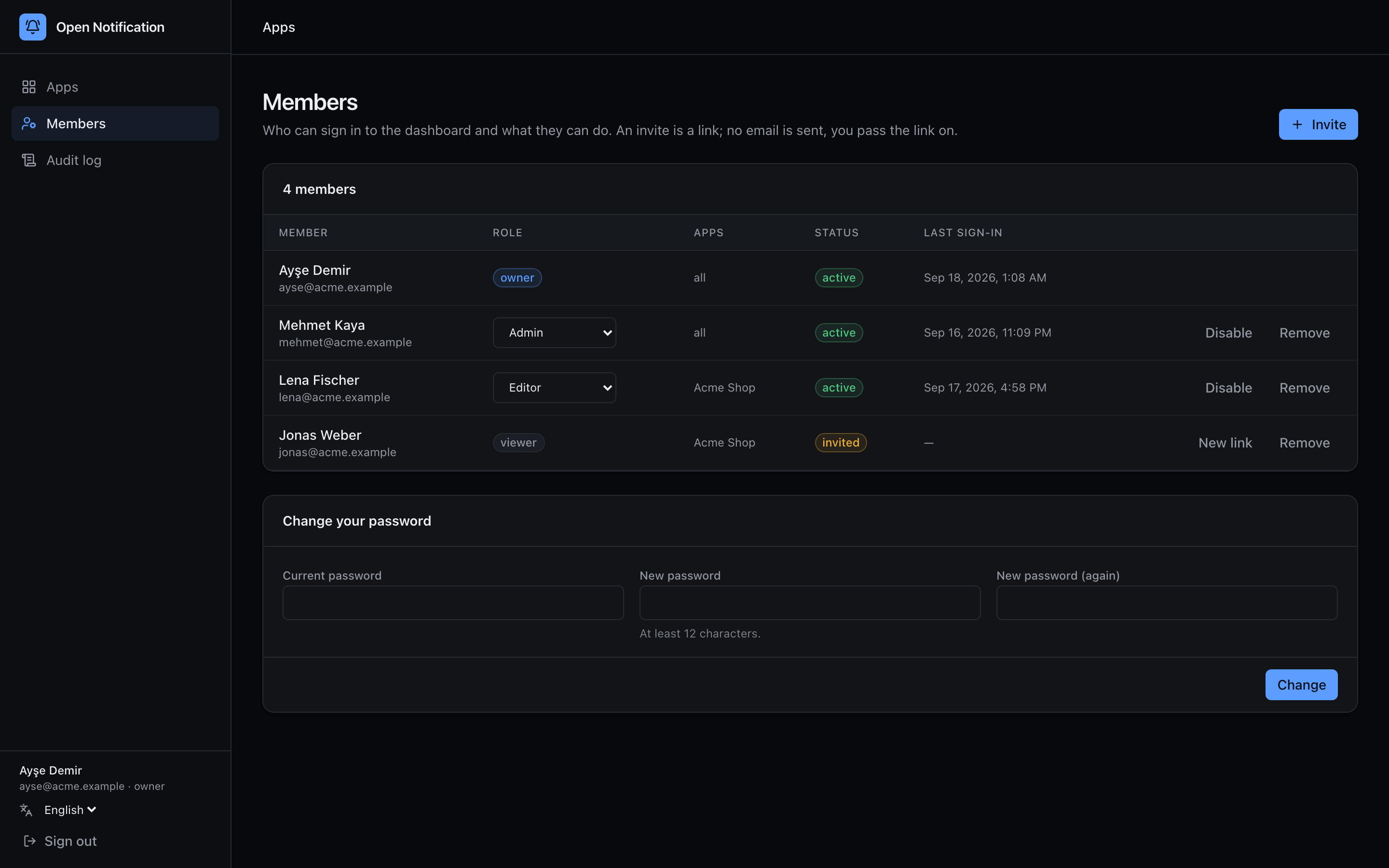
Members manages who can sign in to the dashboard. Members are separate from API keys — see Concepts.
Invite
1 + Invite.
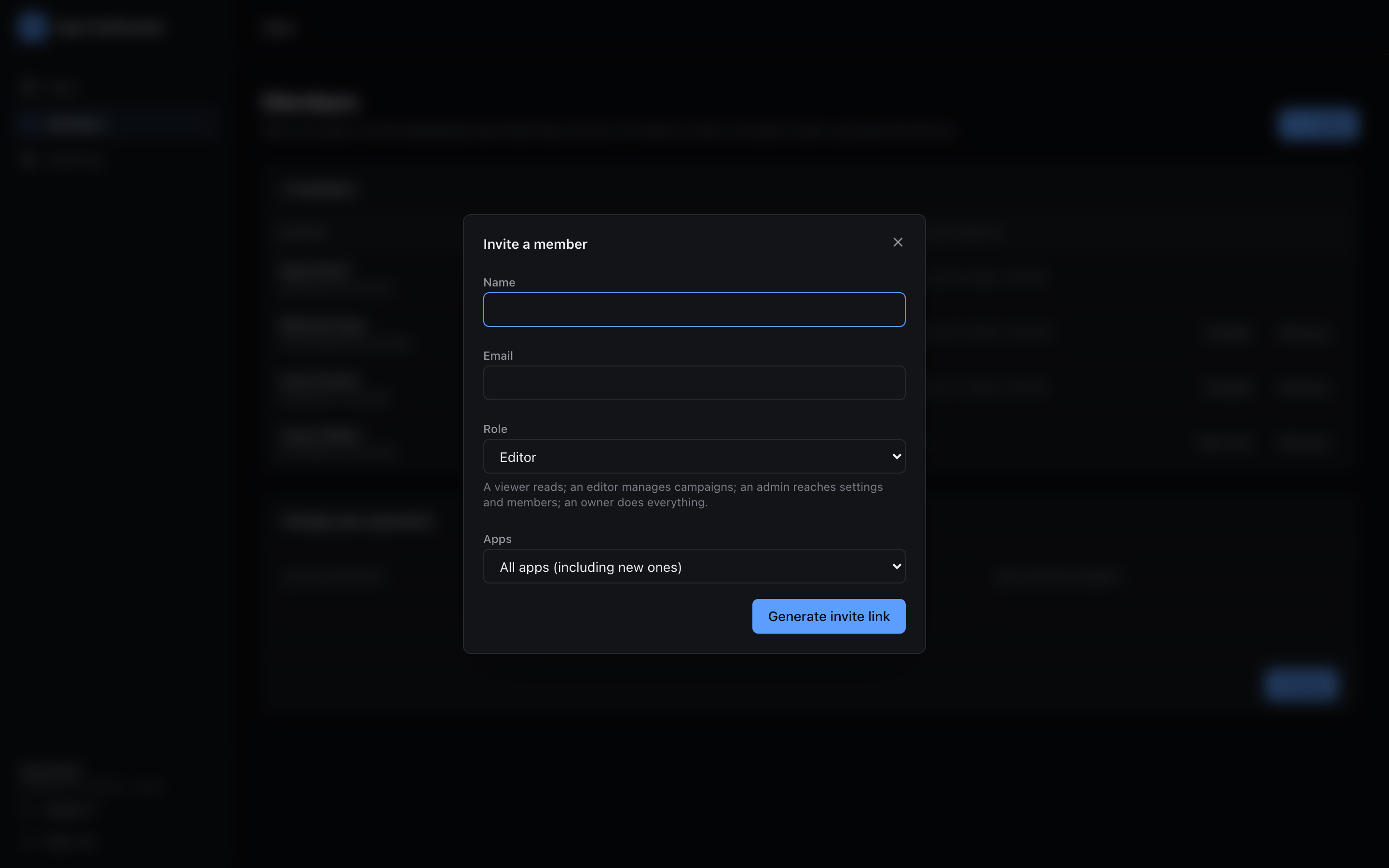
2 Enter Name, Email, choose a Role and Apps — All apps (including new ones) (all apps, including ones created later) or Selected apps (a fixed list).
3 Generate invite link. There is no e-mail transport: the panel shows a link (/invite/<token>), valid for 7 days and usable once. Send it to the person yourself. Only a SHA-256 of the token is stored.
The invitee opens the link, confirms their name, sets a password (≥ 12 characters) and lands signed in. Until then the row shows invited; New invite link regenerates the link if it expired.
Roles
| Role | Scope |
|---|---|
| Owner | Everything, including other owners. The last owner cannot be demoted or disabled. |
| Admin | Everything except owners: apps, credentials, keys, delivery rules, webhooks, members. |
| Editor | Campaigns, users, subscriptions. |
| Viewer | Read only. |
Change a member's role or app list inline in the table. Admins cannot touch owners.
Disable and remove
- Disable sets status disabled: the account cannot sign in, sessions become invalid on their next request, history is kept.
- Remove deletes the member. The audit log keeps their e-mail on every action they made.
Your password
The Change your password card changes your own password (current + new twice, ≥ 12 characters). Passwords are hashed with argon2id.
If you are on the bootstrap login (no members yet), the card instead explains that this single-password login closes as soon as the first owner is invited and active — invite yourself first.
Every action here is audited: member.invite, member.reinvite, member.update, member.remove, auth.accept_invite, auth.change_password.