Import subscribers
Subscriptions › Import (admin role) takes a CSV of up to 50 MB and writes the rows into subscriptions through exactly the path the SDK's subscribe call uses: the same token is updated rather than duplicated, external_id attaches the device to its user (creating the user if needed), tags merge. The file is parsed once and not kept.
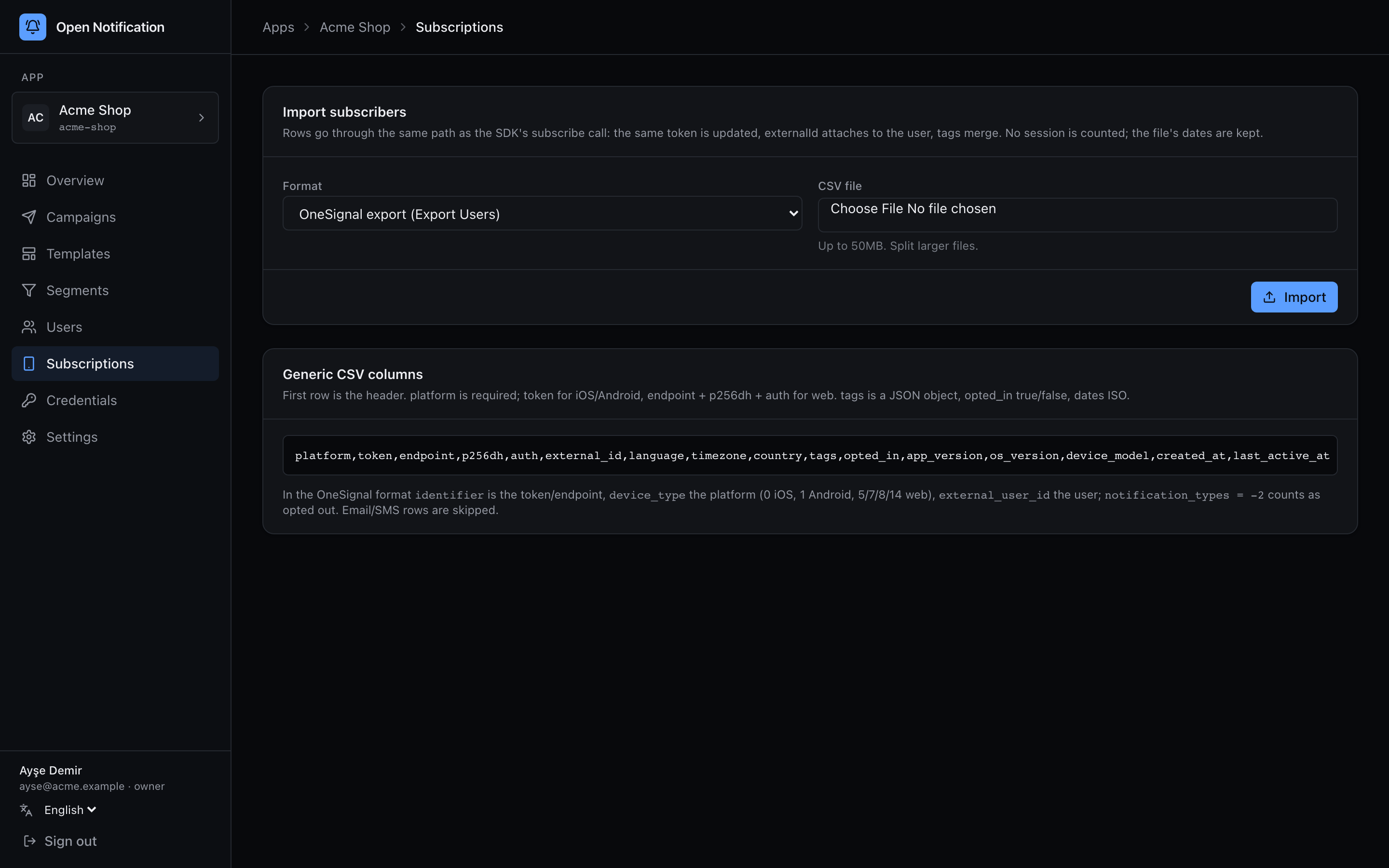
Two formats:
OneSignal — Export Users. Columns as OneSignal writes them: identifier (token, or the web endpoint), device_type (0 iOS, 1 Android, 5 Chrome, 7 Safari, 8 Firefox, 14 Edge — email, SMS and other rows are skipped), web_p256 / web_auth, external_user_id, language, timezone_id, country, tags (JSON), notification_types (-2 imports as opted out), invalid_identifier (true is skipped), last_active and created_at (unix seconds, kept).
Generic. The columns our own export writes:
platform,token,endpoint,p256dh,auth,external_id,language,timezone,country,tags,opted_in,app_version,os_version,device_model,created_at,last_active_at
platform is required; token for iOS/Android, endpoint + p256dh + auth for web; tags a JSON object; opted_in true/false; dates ISO. The page shows the list.
The result card counts rows, created, updated and skipped, and lists the first 100 bad rows by line number with the validation message. Re-running the same file updates instead of duplicating. Imported rows carry source: "csv_import"; no session is counted for them and their lastActiveAt is the file's, so an import does not make a dormant audience look alive.
After importing, send a small campaign and read the report's Failure reasons: dead tokens are invalidated on the way through, and that table tells you how much of the export was already gone. See Migrating from OneSignal.