Credentials
Credentials is where an app gets the ability to actually send. Each platform is optional — configure only what you ship. How to obtain each credential from Apple, Google and the VAPID generator is covered step by step in Platform setup; this page is about the panel.
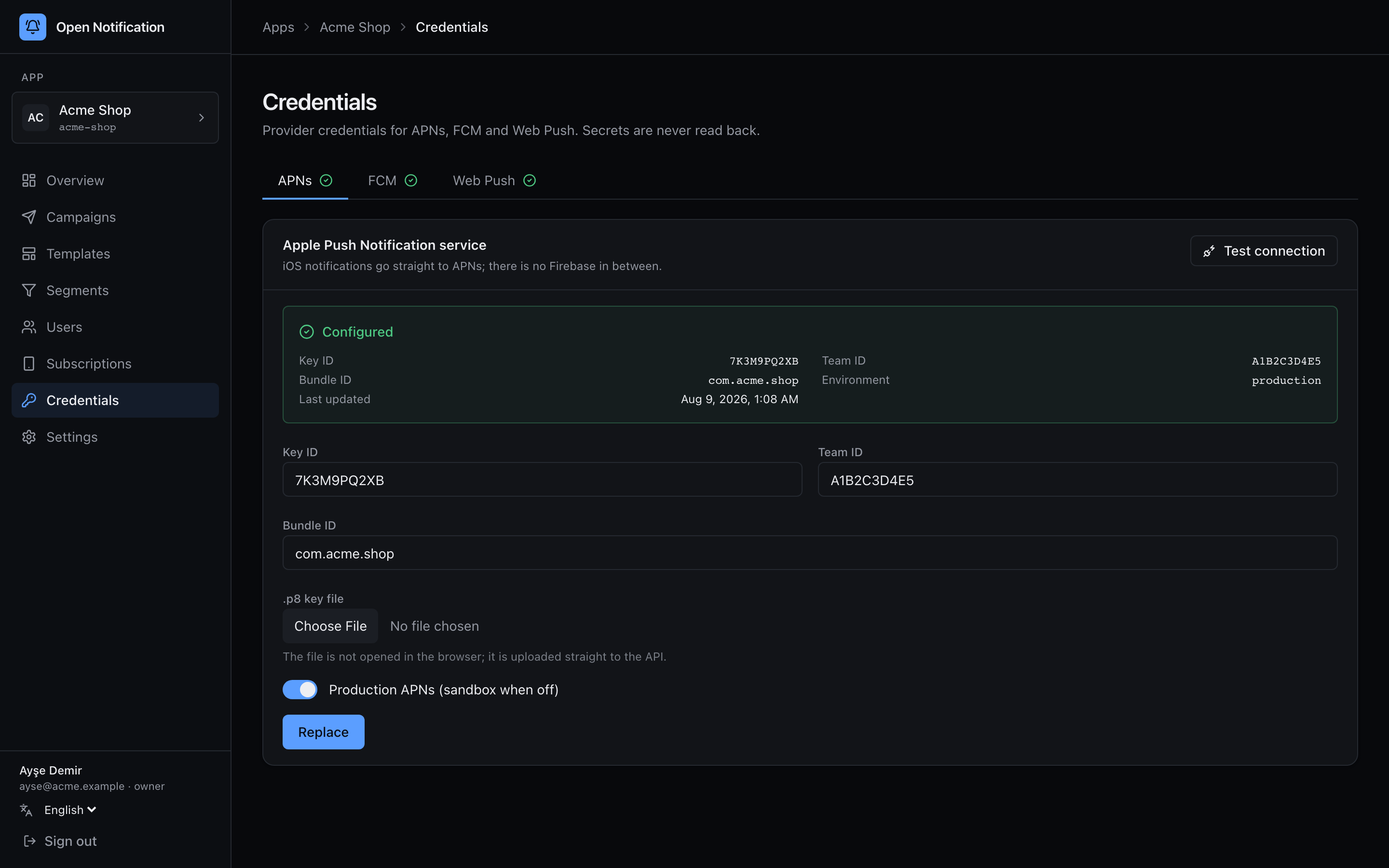
Three tabs — APNs, FCM, Web Push — each with a green check when configured. The card shows Configured with the public identifiers and the last update time. The secret itself (the .p8, the JSON, the private key) is sealed with ENCRYPTION_KEY the moment the API receives it and is never returned — not to this page, not to any API.
When you pick a .p8 or a service account JSON, the dashboard streams the file to the API as multipart. The first and only code that looks at the bytes is the API's sealing step.
APNs (iOS)
| Field | Where it comes from |
|---|---|
| Key ID | 10 characters, shown on the key's page in the Apple Developer portal. |
| Team ID | 10 characters, top right of the developer portal. |
| Bundle ID | Your app's identifier, e.g. com.acme.shop. Sent as apns-topic. |
| .p8 key file | The AuthKey_XXXXXXXXXX.p8 you downloaded once. |
| Production APNs | On → api.push.apple.com; off → api.sandbox.push.apple.com. A development build's token is rejected by the production host and vice versa. |
Click Save (or Replace to replace). One .p8 works for every app on your team and for both environments, so there is nothing to renew.
FCM (Android)
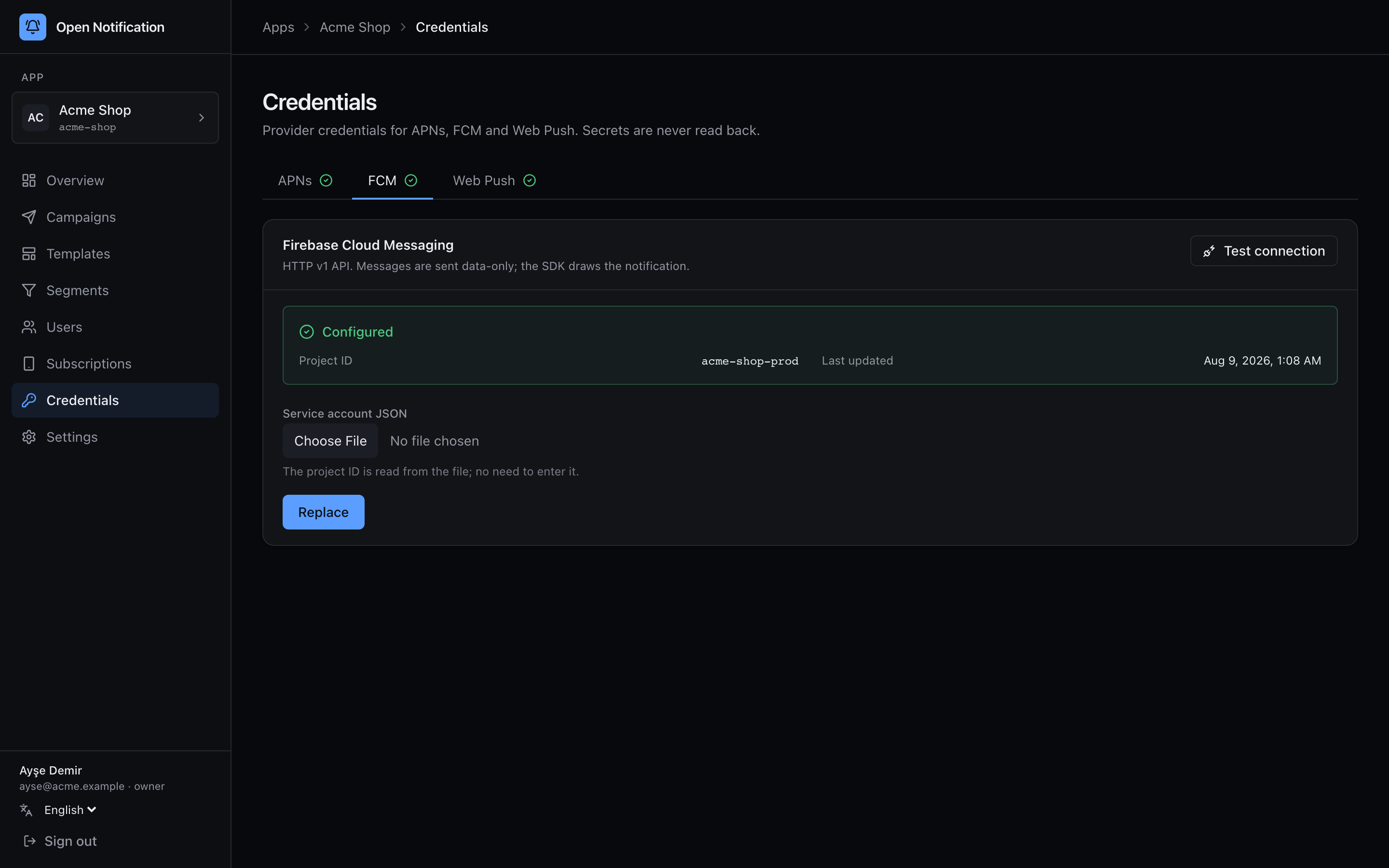
| Field | Notes |
|---|---|
| Service account JSON | The private key file from Firebase → Project settings → Service accounts. |
| Project ID | Read from the file; you do not type it. |
Messages are sent through the HTTP v1 API as data-only messages: the SDK draws the notification, which is what makes delivered trackable on Android.
Web Push (VAPID)
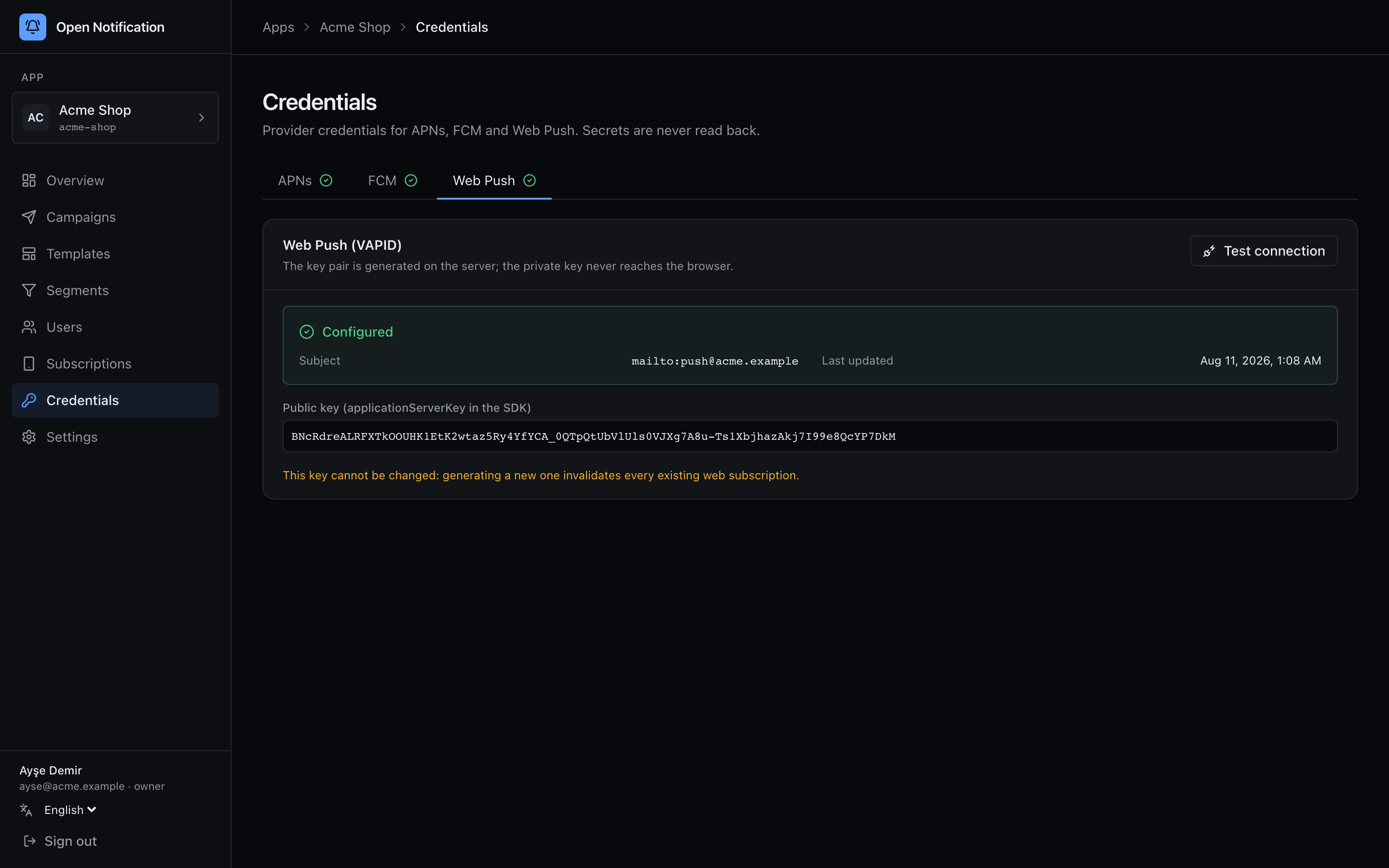
Unlike the other two, the pair is generated on the server, not uploaded:
1 Enter the Konu (subject) — a mailto: or https:// URL the push services can reach you through (RFC 8292).
2 Click Generate VAPID key. The API creates a P-256 pair, seals the private key and stores the public one.
3 Copy the Public key shown on the card into your web SDK configuration as vapidKey — it is the applicationServerKey browsers subscribe with.
Every web push subscription is cryptographically bound to the public key it was created with. That is why the panel offers no "regenerate" once configured: a new pair would kill every existing browser subscription. To start over you would have to clear webpush on the app document and re-collect subscribers.
Test the connection
Every tab has Test connection. It is a real handshake, not a format check:
| Platform | What the test does | Success looks like | Failure looks like |
|---|---|---|---|
| APNs | Signs a JWT with your .p8 and POSTs to a deliberately invalid token. | BadDeviceToken — Apple accepted you and rejected the token. | InvalidProviderToken, TopicDisallowed, 403 — key, team or bundle id is wrong, or the key lacks the APNs capability. |
| FCM | Fetches an OAuth2 token with the service account and sends to an invalid token. | INVALID_ARGUMENT / UNREGISTERED. | PERMISSION_DENIED — the service account lacks Firebase Cloud Messaging API access, or the project is wrong. |
| Web Push | Signs a VAPID JWT and validates the pair. | Signature valid — there is no push service to talk to without a real subscription, and the panel says so. | Malformed key. |
Run the test after every change. Credentials that pass here and still fail in a campaign point at the device side (wrong bundle, sandbox vs production, a stale token).
Who can do this
Owners and admins. Editors and viewers do not see the page. Every save is written to the audit log as credentials.apns, credentials.fcm or credentials.webpush.