Apps
An app is a tenant — see Concepts. The list is the first page after login.
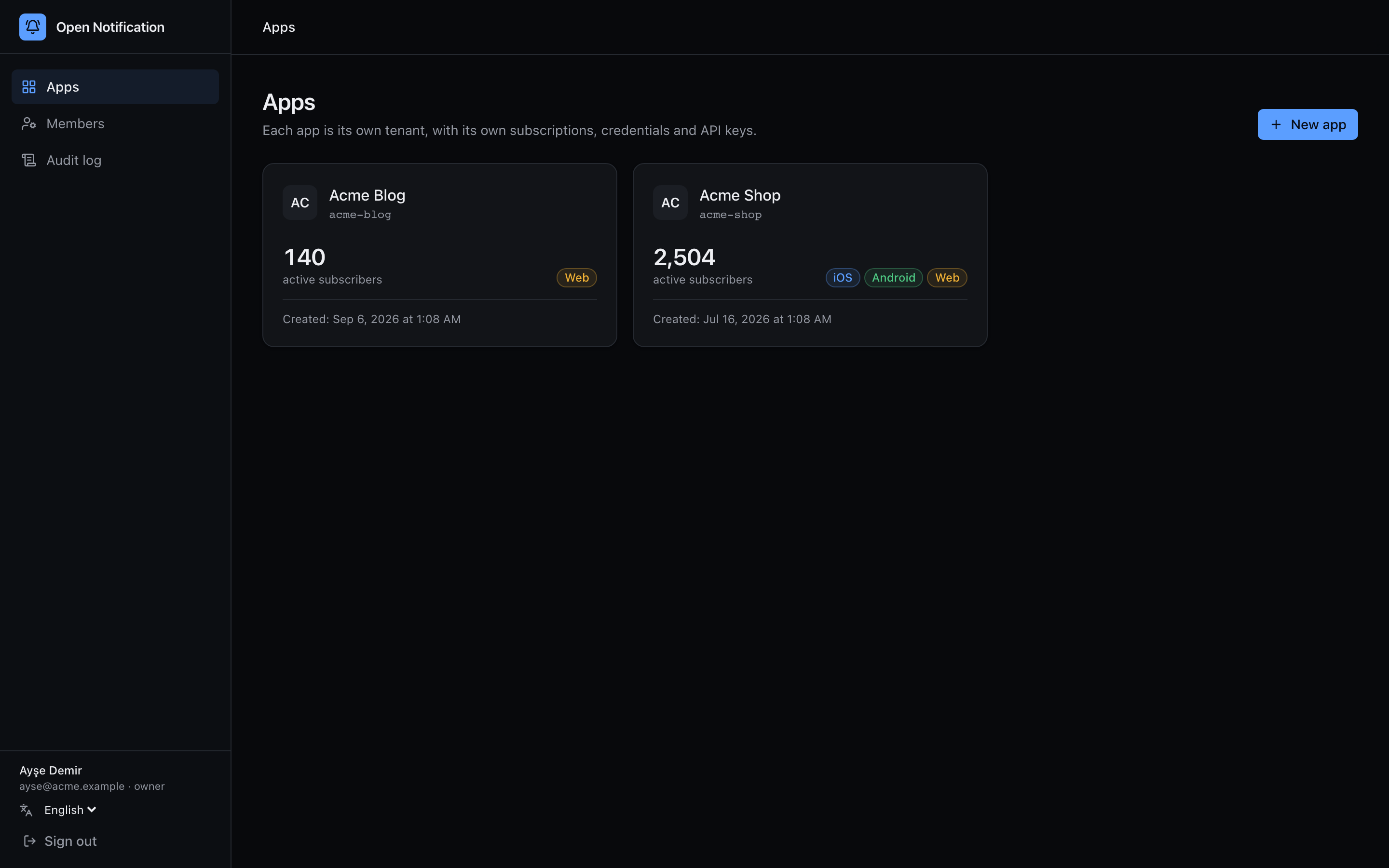
Each card shows the app's name, slug, which platforms are configured and the size of its audience. Click a card to enter the app.
Create an app
1 Click + New app, top right.
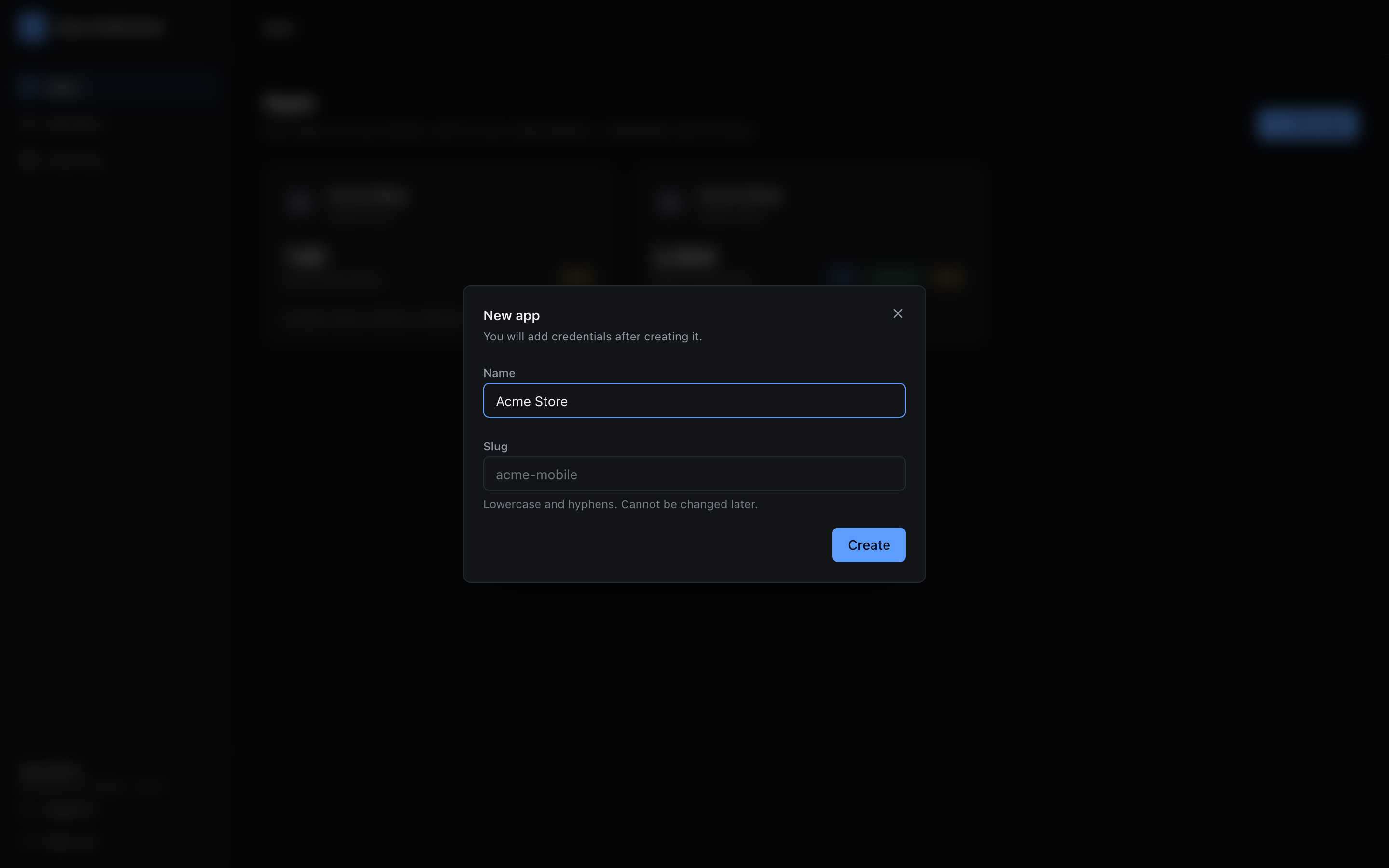
2 Fill in:
| Field | Meaning |
|---|---|
| Name | Display name. Change it later in settings. |
| Slug | Lowercase kebab-case, e.g. acme-mobile. Used in scripts and unique across the instance. Cannot be changed afterwards. |
3 Click Create. The dialog switches to the one-time key view:
- Server key — the sk_live_… secret key, for your backend. Goes in
Authorization: Bearer. - Public anahtar — the pk_live_… public key, for the SDKs. Goes in
x-app-key.
Copy both now. The secret key is never shown again; if you lose it, generate a new one and revoke the old one.
4 Add credentials takes you straight to the Credentials page; Close returns to the list.
bun run app:create -- --name "Acme" --slug acme does the same and can upload credentials in the same command. See the Quickstart.
The overview page
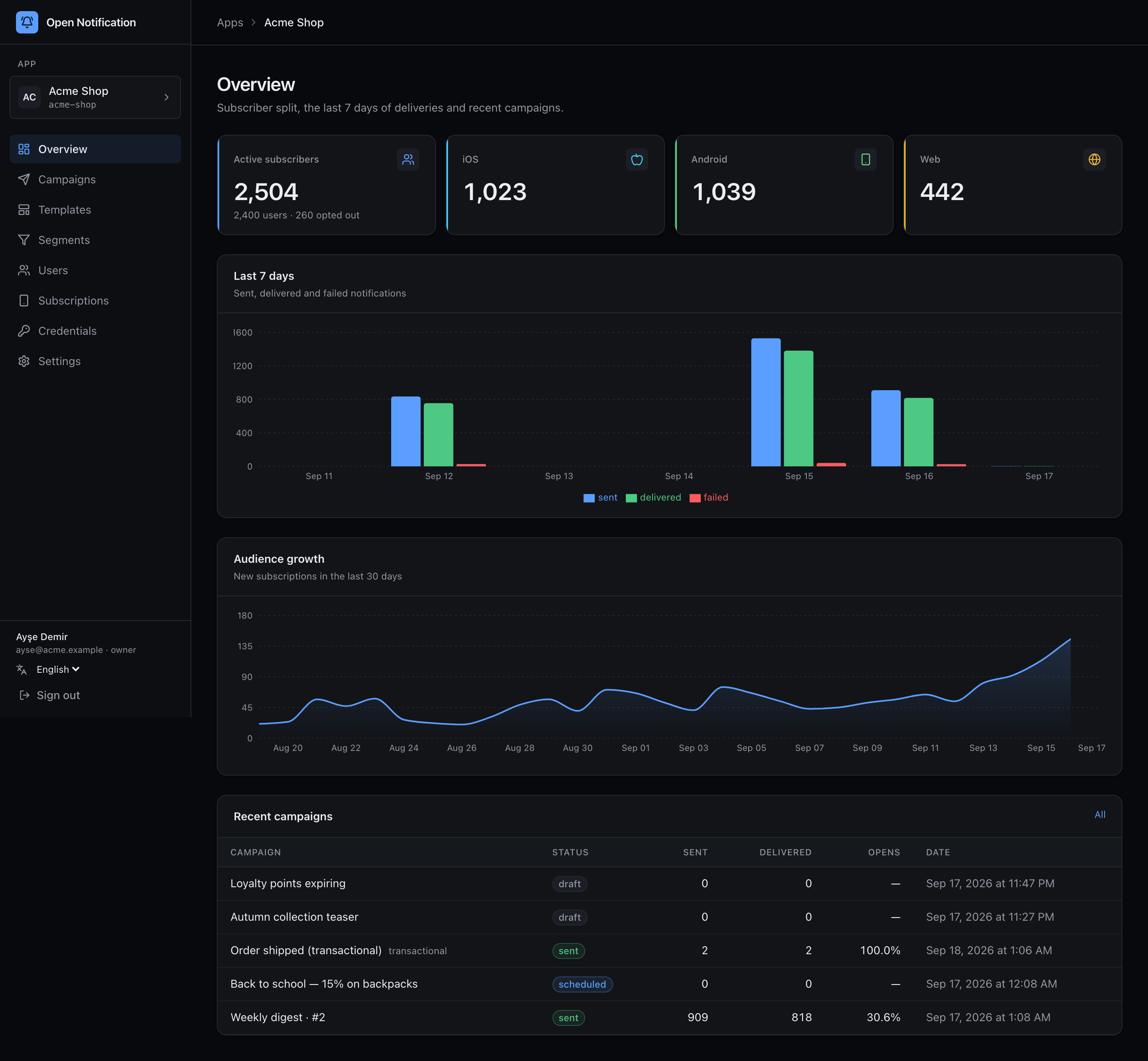
Entering an app lands on Overview:
| Block | What it shows |
|---|---|
| Active subscribers | Subscriptions that are opted in and not invalidated — the number a "send to everyone" campaign would reach. Underneath: total users and how many devices have opted out. |
| iOS / Android / Web | The same, split by platform. |
| Last 7 days | Sent, delivered and failed events per day. A spike in red on one platform usually means an expired credential. |
| Audience growth | New subscriptions per day for the last 30 days. |
| Recent campaigns | The five most recent campaigns with status, sent, delivered and open rate. Transactional sends from the API appear here too. |
Deleting an app
There is no delete button in the panel — an app owns subscribers, and deleting those by accident is worse than a stale row. Remove one from the database if you must: it is a single document in apps plus its rows in users, subscriptions, campaigns and events, all carrying the appId.