API keys
Settings › API keys. Keys are how your backend and your apps authenticate to the API; the format and rules are in API overview.
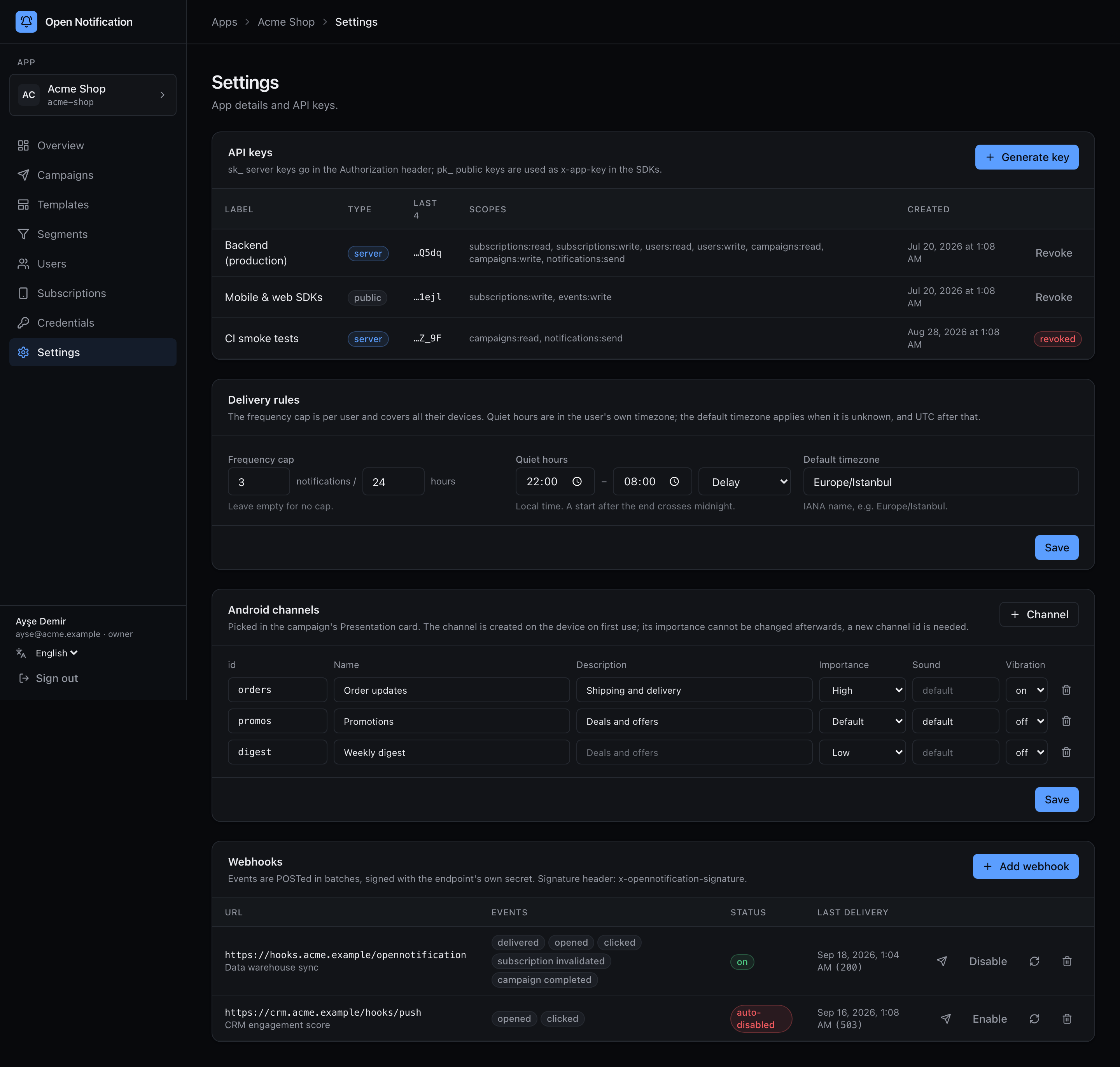
Columns: Label, Type (server = secret, public), Last 4 (last four characters — the only part stored in the clear), Scopes, Created, and Revoke.
Create a key
1 Click + Generate key.
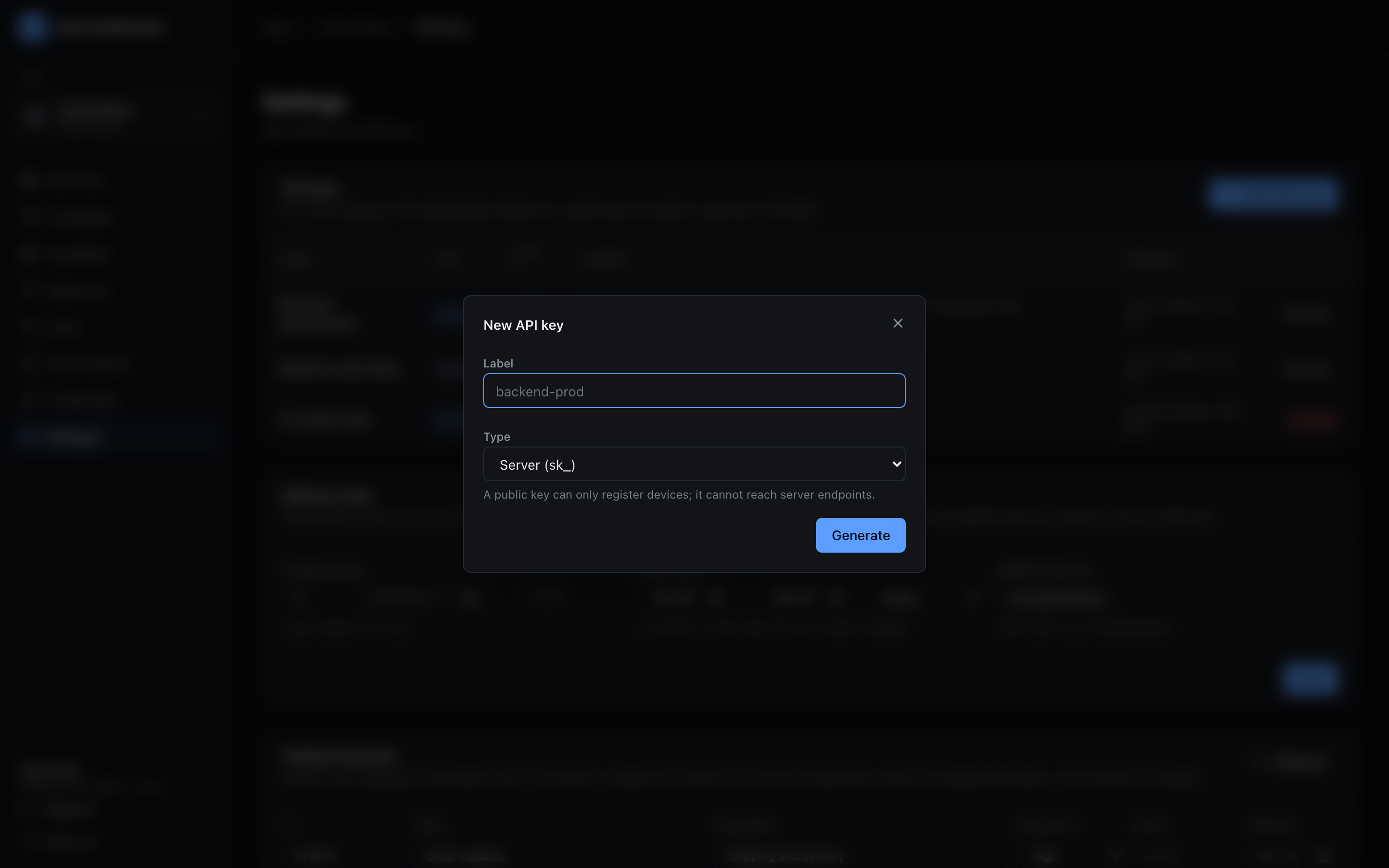
2 Choose:
| Field | Notes |
|---|---|
| Label | Where the key will live: "Backend (production)", "Data pipeline", "iOS app". |
| Type | Server (secret, sk_) for servers. Public (pk_) for anything that ships to users. |
| Scopes | Tick only what the holder needs. |
3 Generate. The key appears once. Copy it, press I saved it, and it is gone — only the hint remains.
Scopes
| Scope | Allows | Typical holder |
|---|---|---|
subscriptions:write | register/update/delete devices, login/logout, rotate endpoints, update that device's user | public keys (SDKs) |
subscriptions:read | segment preview | backend |
events:write | (tracking pings need no key; reserved) | public keys |
users:read / users:write | /v1/users/* — read a person with devices, set tags before their first device, delete for GDPR | backend |
notifications:send | POST /v1/notifications | backend, CI |
campaigns:read | /v1/campaigns/:id/stats | backend, monitoring |
campaigns:write | create, send, cancel campaigns, pick an A/B winner | backend |
A public key is always refused on server endpoints (403 forbidden) even if it somehow had the scope — the kind check comes first.
Revoke
Revoke marks the key revoked; requests with it fail with 401 unauthorized within API_KEY_CACHE_TTL (60 s by default — verified keys are cached to keep bcrypt off the hot path). The row stays in the list as cancelled so the audit trail is intact.
Rotation is create-then-revoke: mint the new key, deploy it, revoke the old one.
Where each key goes
# Secret key — server to server
curl https://push.example.com/v1/notifications \
  -H "Authorization: Bearer sk_live_…"

# Public key — SDKs, or a raw subscribe call
curl https://push.example.com/v1/subscriptions \
  -H "x-app-key: pk_live_…"